Connection
To read or write data you first need to connect to a Modbus device. Modbux supports two protocols: TCP over network and RTU over serial connection.
Setting up a connection
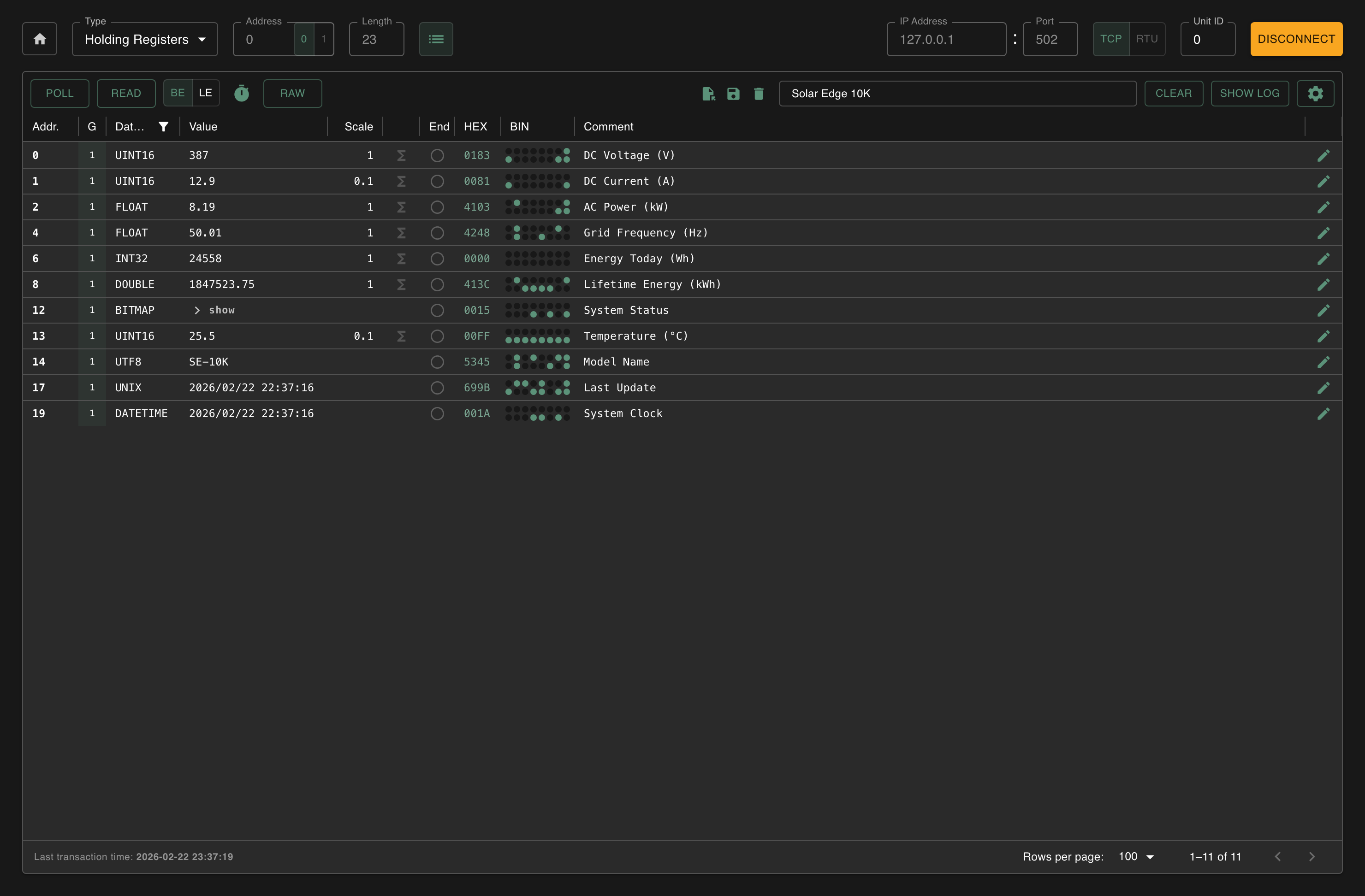
TCP is the simplest way to connect. You just need a network.
Set the protocol toggle to TCP.
Enter the IP address of your device (e.g. 192.168.1.100). To connect to the Modbux server use 127.0.0.1.
Set the port. Most devices use port 502. Only change this if you know your device uses a different port.
Choose the Unit ID. For TCP you can usually just leave this at 0. You'll only need a specific Unit ID when communicating through an RTU-TCP gateway with multiple devices behind one IP address.
Click Connect. The button turns yellow on a successful connection.
RTU works over a serial connection (RS-485). You'll need a USB-to-RS485 adapter.
Set the protocol toggle to RTU.
Select the correct serial port from the dropdown. Modbux automatically discovers available ports. You can also type a path manually if needed.
Set the communication parameters. These must exactly match your device: baud rate (often 9600 or 115200), parity (None), data bits (8), stop bits (1).
Choose the Unit ID. This is required for RTU and identifies which device on the bus should respond.
Click Connect.
Polarity matters with RS-485. The A/B (or +/-) wires must be connected correctly. If you're not getting communication while all settings are correct, try swapping the A and B wires.
Serial port not in the dropdown?
Open Device Manager → Ports (COM & LPT) to find the correct port name for your USB adapter (e.g. USB Serial Port (COM3)). Type it manually in the port field.
Open Terminal and run ls /dev/cu.* or ls /dev/tty.* to find available ports. Type the correct path manually in the port field.
Testing your connection
After connecting, verify that communication works:
- Configure a read, e.g. Holding Register at address 0, length 10
- Click Read
- If data appears in the grid, your connection is working
No data? Some devices are strict about which address ranges they support. Try a shorter length or a different start address.
Troubleshooting
Client Overview
Modbux Client mode overview. Connect to Modbus TCP or RTU devices, read and write registers, configure data types, scaling and polling.
Register Grid
Read, write and monitor Modbus registers. Data types, bitmap mode, scaling, interpolation, word order, polling and configuration management.